
Information reviewed: October 8, 2026 | United States
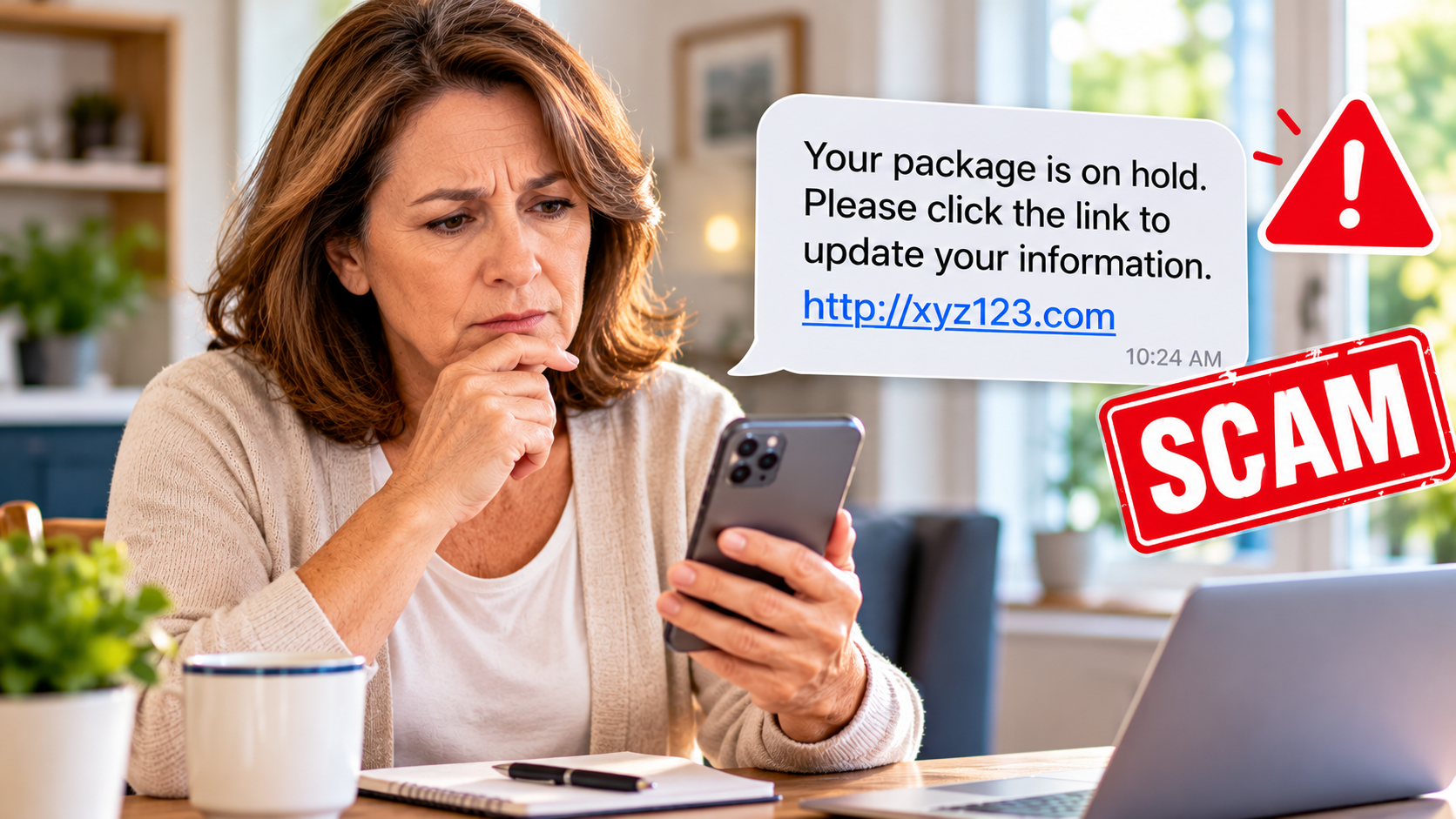
Your phone buzzes. A text message says your package cannot be delivered until you update your address. Another says you owe a small toll payment. A third warns that someone has tried to access your bank account.
Each message seems to require immediate action.
But what if the message is fake?
Scammers send text messages that imitate familiar companies, government agencies, and financial institutions. Some messages contain links to websites designed to collect passwords, payment information, or personal details.
You do not need to recognize every scam to protect yourself. You need a safe way to check a message without relying on the message itself.
This guide gives you a simple verification method, realistic examples, and a recovery checklist for different situations—including what to do if you already clicked a suspicious link.
Your First Response: PAUSE → VERIFY → ACT
When an unexpected text asks you to click a link, pay a fee, call a number, or provide information, follow these three steps.
1. PAUSE
Do not click the link, reply to the message, call the number it provides, or share a verification code.
A message that creates fear or urgency is a reason to slow down—not a reason to act faster.
2. VERIFY
Open the company’s official app yourself, use a website you already know is legitimate, or call a trusted number from a statement, bank card, or another independent source.
Do not use contact information supplied by the suspicious message.
3. ACT
If the company confirms there is a real issue, follow its instructions through the verified channel.
If the message is fraudulent, report it and delete it after preserving any evidence needed for a fraud report or dispute.
Remember: A message can look professional, mention a real company, and still be a scam.
Why Suspicious Text Messages Can Be Difficult to Recognize
Text-message phishing is often called smishing, a combination of SMS and phishing.
The goal is to persuade someone to do something unsafe, such as entering a password on a fake website, sharing financial information, or sending money.
Artificial intelligence may help criminals produce convincing language or impersonate people. But not every scam text uses AI, and a perfectly written message is not proof of legitimacy.
The Federal Trade Commission (FTC) warns about fake bank alerts, package-delivery notices, and unpaid-toll messages. The FBI has also warned about text-message scams that impersonate toll-collection services.
The important question is not whether the message looks real.
It is whether you can independently confirm what it claims.
The WYL Suspicious Text Verification Card
Use this card before responding to a message that asks you to take action.
| Check | Ask yourself | Safer action |
|---|---|---|
| Unexpected | Was I expecting this message? | Stop before responding. |
| Urgent | Does it threaten a penalty or demand immediate action? | Do not let the deadline control your decision. |
| Sensitive | Does it ask for a password, code, payment, or personal information? | Do not provide the information through the message. |
| Link | Does it direct me to a website? | Do not use the link. Open the official app or known website separately. |
| Verification | Can I confirm the claim through an independent source? | Contact the real organization before taking action. |
This is a practical decision aid, not a technical test that can guarantee whether a message is genuine.
The safest habit: Check the claim through a trusted source, not through the suspicious message.
Four Common Text Scams—and How to Respond
The examples below are fictional illustrations of tactics described in official consumer alerts. They are not copies of real messages.
Scenario 1: “Your package could not be delivered”
Example message:
“Delivery failed because your address is incomplete. Update your information today to avoid returning your package.”
The message includes a link.
What makes it suspicious?
It asks you to solve a delivery problem through an unexpected link. A fake delivery website may request your name, address, or payment-card information.
What to do:
- Do not open the message’s link.
- If you ordered something, open the retailer’s website or app yourself.
- Check the order and tracking information there.
- If necessary, contact the delivery company using independently verified contact information.
- Report and delete the fraudulent message.
Key lesson: A real delivery can exist at the same time as a fake delivery text. Verify the shipment independently.
Scenario 2: “You have an unpaid toll”
Example message:
“Final notice: Your toll payment is overdue. Pay now to avoid additional penalties.”
The message includes a payment link.
What makes it suspicious?
Scammers impersonate tolling agencies and may direct people to look-alike payment websites.
What to do:
- Do not pay through the text.
- Find your state tolling agency’s legitimate website independently.
- Sign in to your account, if applicable, or call its verified customer-service number.
- Check whether any actual balance is due.
- Report and delete the scam message.
Key lesson: A specific dollar amount or threatened late fee does not prove a payment request is genuine.
Scenario 3: “Your bank account is at risk”
Example message:
“Suspicious activity detected. Reply YES or call this number immediately to secure your account.”
What makes it suspicious?
A scammer may be trying to start a conversation, obtain a verification code, or persuade you to transfer money.
What to do:
- Do not reply or call the number in the text.
- Open your bank’s official app yourself or call the number on your bank card.
- Ask whether the bank has identified suspicious activity.
- Never share a one-time verification code with someone who contacts you unexpectedly.
- Never transfer money to another account because someone says that is necessary to “protect” it.
Key lesson: Your bank can help you verify an alert without requiring you to trust an unexpected message.
Scenario 4: “Your family member needs help”
Example message:
“This is my new number. I lost my phone and urgently need you to send money.”
What makes it suspicious?
The sender claims a personal relationship but asks you to trust an unfamiliar number.
What to do:
- Do not send money based on the text.
- Contact your family member using a number or communication method you already trust.
- If you cannot reach them, check with another trusted family contact.
- Do not treat personal details in the message as proof of identity.
For a more detailed family-emergency verification procedure, read our AI Voice Scams: How to Verify a Family Emergency Before Sending Money guide.
Key lesson: Verify the person through an established contact method before making a financial decision.
Already Clicked a Suspicious Link? Choose the Right Next Step
A suspicious link can lead to a fake website, a malicious download, or another attempt to obtain information.
Clicking a link does not automatically mean your phone is infected or your accounts have been stolen. However, a click should not be treated as proof that everything is safe either.
Your next steps depend on what happened.
Situation A: You opened the link but entered nothing
- Close the suspicious page.
- Do not download anything or accept requests for permissions.
- Update your phone’s operating system and browser using their normal settings or official app stores.
- Check important accounts for unexpected activity.
- If you downloaded a file, installed an app, granted permissions, or noticed unusual device behavior, take additional security precautions.
If you installed an unfamiliar app or allowed remote access, stop using that app or connection and seek help through your device maker’s official support or a trusted security professional. Use a separate trusted device to secure sensitive accounts if you suspect your phone is compromised.
If you only viewed a page and did not submit information or install anything, changing every password may not be necessary. But if you have reason to believe an account or device was compromised, act promptly.
Situation B: You entered a username and password
- Stop using the suspicious website.
- Open the real service through its official app or known website.
- Change the affected password immediately, if you can still access the account.
- Change the password anywhere else you reused it.
- Turn on multifactor authentication, if available.
- Review recent sign-ins, recovery information, and account activity for unauthorized changes.
If you cannot access your account, use the provider’s official account-recovery process.
If the compromised account is your email, prioritize it: email access may help criminals reset passwords for other services.
Situation C: You shared a verification code
A verification code is meant to confirm an action you initiated. It should not be given to someone who unexpectedly contacts you.
If you shared one:
- Contact the affected bank or account provider through its official channel immediately.
- Explain that you disclosed a verification code to a suspected scammer.
- Ask the provider to check for unauthorized access or transactions.
- Secure the account and follow the provider’s recovery instructions.
Do not assume changing a password alone will resolve every unauthorized transaction or account change.
Situation D: You entered credit-card or bank information
- Contact your card issuer or bank immediately using a trusted number.
- Explain exactly what information you entered.
- Ask whether the account or card needs additional protection or replacement.
- Review transactions and report any unauthorized activity.
- Follow the institution’s fraud and dispute procedures.
Do not wait for a fraudulent charge to appear before contacting the institution if sensitive payment information has been exposed.
Situation E: You already sent money
Contact the bank, card issuer, payment app, or transfer company you used immediately.
Explain that you believe the payment was part of a scam and ask whether it can be stopped, disputed, or reversed.
Recovery depends on the payment method and circumstances. A refund is not guaranteed.
For payment-specific recovery instructions, use the FTC’s official What To Do if You Were Scammed guide.
Situation F: You shared your Social Security number or identity information
Visit IdentityTheft.gov for guidance based on what was exposed and whether identity theft has occurred.
Depending on the circumstances, protective steps may include monitoring accounts or taking measures to protect your credit.
Do not provide additional sensitive information to someone who contacts you unexpectedly and offers to “fix” the problem.
How to Report a Suspicious Text Message
You do not need to investigate the scammer yourself.
You can report unwanted or fraudulent text messages in several ways.
Use your phone’s reporting feature. Look for an option such as “Report Junk” or “Report Spam,” if your messaging app provides one.
Forward the suspicious text to 7726 (SPAM). This helps participating wireless providers identify unwanted messages. Your carrier may provide additional instructions.
Report the scam to the FTC. Visit ReportFraud.ftc.gov.
If you believe you have been targeted by an internet crime, you can also visit the FBI’s Internet Crime Complaint Center.
If you lost money, shared personal information, or need to file a dispute, keep relevant screenshots and transaction records. Otherwise, after reporting the suspicious message, delete it. Never open its link just to collect evidence.
Important: Be cautious of anyone who contacts you afterward claiming they can recover stolen money for an upfront fee. Recovery scams can target people who have already experienced fraud.
A Family Text-Scam Safety Plan You Can Make Today
You can reduce confusion by deciding in advance how your household will handle unexpected messages.
Use this simple worksheet with a spouse, family member, or trusted friend.
Step 1: Choose your verification sources
Complete the following without writing passwords, account numbers, or security codes.
| Situation | My trusted way to verify |
|---|---|
| Bank alert | Official banking app or number on my card |
| Package delivery | Retailer order history or verified delivery-service website |
| Toll notice | Official state tolling-agency account or contact |
| Family emergency | Previously verified family contact method |
| Government notice | Independently located official agency website or phone number |
Step 2: Agree on three household rules
- We do not make unexpected payments based only on a text message.
- We do not share passwords or verification codes with someone who contacts us unexpectedly.
- We check suspicious claims through an independent, trusted source.
Step 3: Choose a backup helper
Identify someone you trust who can help you check an unfamiliar message or navigate an official website.
You do not need to give that person your passwords or financial account access.
Step 4: Practice once
Imagine receiving a text claiming you owe a toll payment.
Instead of opening its link, practice finding the toll agency through a trusted source.
Then try the same exercise with a fake delivery alert.
The goal is to make independent verification a familiar habit before a real suspicious message arrives.
Frequently Asked Questions
Can a scam text look exactly like a legitimate company message?
A scam text can imitate a company’s name, language, and appearance. Those details are not reliable proof of authenticity. Verify the claim through the company’s official channel.
Does a message without spelling mistakes mean it is safe?
No. Clear grammar and professional wording do not establish legitimacy. Judge the request and verify the sender independently.
Is it dangerous just to receive a scam text?
Receiving a suspicious message does not by itself mean your accounts have been compromised. Avoid interacting with its links or requests, and report it when appropriate.
Should I reply “STOP” to every suspicious message?
No. Do not reply to a suspected scam message merely to stop it. Use your phone’s reporting or blocking options instead. Legitimate subscription messages and fraudulent messages are not necessarily handled the same way.
What if I clicked a link on my iPhone or Android phone?
Close the suspicious page and consider whether you entered information, downloaded something, installed an app, or granted permissions. The appropriate response depends on those details, not simply on whether the phone is an iPhone or Android device.
Can AI make text-message scams more convincing?
AI can help generate persuasive text, but a scam does not need AI to be effective. The same independent verification steps are useful whether a message was written by a person or generated with AI.
Can I get my money back after paying a scammer?
Possibly, depending on the payment method and circumstances. Contact the payment provider immediately and ask about available recovery or dispute options. No recovery method guarantees reimbursement.
Official Sources and Recovery Resources
The following resources support the guidance in this article. The WYL verification card, scenarios, and family worksheet are educational tools created for readers; they are not government-certified scam-detection methods.
- FTC — How to Recognize and Report Spam Text Messages
- FTC — Is That Unexpected Text a Scam?
- FTC — Think That Text Message Is From USPS? It Could Be a Scam
- FBI IC3 — Smishing Scam Regarding Debt for Road Toll Services
- FTC — What To Do if You Were Scammed
- FTC — Report Fraud
- FTC — IdentityTheft.gov
- FBI — Internet Crime Complaint Center
One Action to Take Today
Open your phone’s messaging app and think about the last unexpected message you received.
Did it ask you to click, pay, reply, or share information?
You do not need to open that message again or investigate its link.
Instead, practice this routine:
PAUSE → VERIFY → ACT.
Then share the routine with one person you trust.
A convincing message should never be the only reason you give away information or send money.
The most useful skill is not recognizing every new scam. It is knowing how to verify a claim safely—and what to do if something has already gone wrong.
Reader note: This article provides general U.S. consumer safety information, not individualized legal, financial, or technical advice. Account security, fraud recovery, and legal protections depend on the circumstances. Contact your financial institution, relevant service provider, or appropriate authorities when needed.