
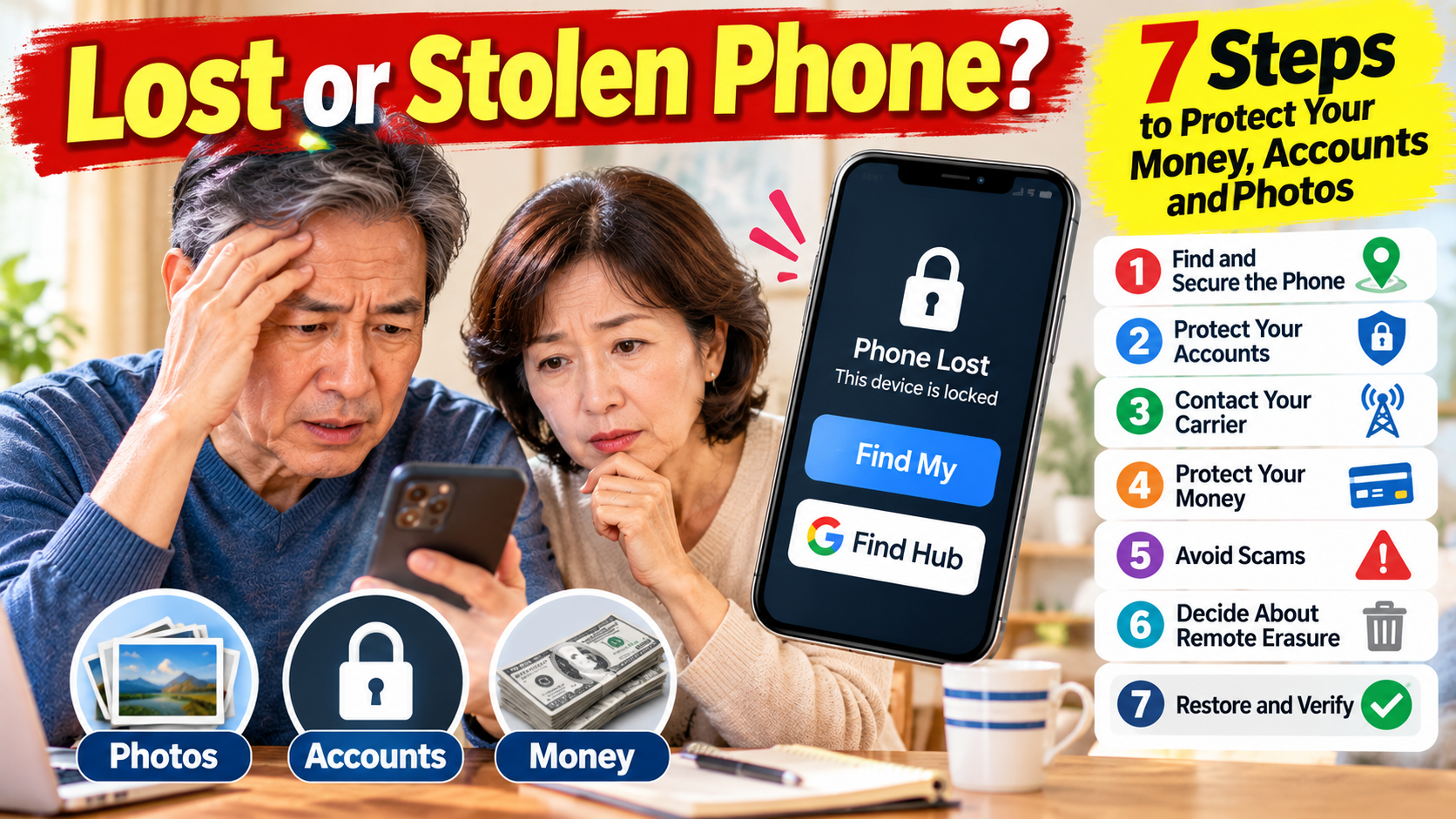
Your phone is missing. Secure it first, then protect your accounts and phone number.
Do not erase it until you understand what you may lose.
Choose Your Situation
| Situation | First action |
|---|---|
| Phone may be nearby | Call it or use the official Play Sound feature. |
| Phone cannot be found | Mark it as lost using Find My or Find Hub. |
| Theft suspected | Secure it remotely; do not confront anyone at a map location. |
| Phone was unlocked or passcode exposed | Urgently secure email, device account, and financial accounts. |
| Verification codes go to missing phone | Try backup sign-in options and speak with your carrier. |
| Recovery appears unlikely | Check backups, tracking consequences, and insurance requirements before erasure. |
1. Find and Secure the Phone
iPhone: From another trusted device, visit iCloud Find Devices, select the iPhone, and choose Play Sound or Mark as Lost. If you cannot receive a verification code, choose Find Devices on the sign-in screen; Apple permits access to this function without the usual code. Lost Mode locks the phone and suspends eligible Apple Pay cards and passes. If Find My was not enabled before the loss, you cannot turn it on remotely.
Android: Visit Google Find Hub, select your phone, and use Play sound or Mark as lost. A borrowed Android device may offer a guest sign-in; sign out afterward. Available features depend on device settings and connectivity. An offline device may not display a current location.
Lost Mode contact privacy: If you simply misplaced your phone, a safe callback number may help an honest finder return it. If theft is suspected, avoid putting your home address, main email address, or other sensitive details in the lock-screen message. Any displayed contact information can be seen by whoever holds the phone.
Do not visit a suspected thief based only on a location pin. Report suspected theft to law enforcement.
2. Protect Your Most Important Accounts
From a trusted device, check your primary email and Apple or Google Account for unfamiliar sign-ins, devices, recovery details, and password-reset requests. Change credentials when compromise is suspected. Then review financial and payment accounts. Your email matters especially because it can be used to reset other accounts.
If your missing phone receives all your verification codes: First try a previously configured trusted device, authenticator, backup code, or recovery contact (if supported). If none works, use the provider’s official account-recovery process. Ask your carrier about restoring your number to a replacement SIM/eSIM, but recognize that this may change access to verification texts. Never give a helper your recovery codes.
Avoid locking yourself out: Before changing recovery methods, confirm that a backup sign-in method works. If the thief may know your phone passcode, treat the situation as urgent.
3. Contact Your Wireless Carrier
Use the official carrier website or a verified support number. Ask about suspending the missing line, SIM-swap and number-transfer protections, restoring your number to a replacement phone, and obtaining a case number.
Suspending service may also interrupt text-based verification codes, so ask how you will recover account access. If you suspect your number has already been transferred without permission, report that immediately.
4. Protect Your Money
Check recent bank, card, and payment-app activity on a trusted device. Report unfamiliar transactions promptly using official financial-institution contact details.
If the phone was stolen unlocked, or someone knows its passcode, ask affected institutions about additional protections immediately.
A lost phone does not automatically mean your accounts have been compromised.
5. Avoid Fake Recovery Messages
Ignore unexpected texts or emails demanding your passcode, password, verification code, a payment, or removal of the phone from Find My.
Open official sites yourself rather than following supplied links.
For a stolen iPhone, do not remove the device from Find My: that can remove Activation Lock and make resale easier.
6. Decide Carefully Before Remote Erasure
Remote erasure is irreversible. First check whether you have tried locating and locking the device, whether important photos and contacts are backed up, whether an insurance claim has special requirements, and whether you can sign in to a replacement device.
iPhone: Apple explains that devices with supported software may remain findable after remote erasure, but the result depends on device and connectivity conditions. Do not assume you will still see a location after erasing. Keep the stolen iPhone in Find My so Activation Lock remains in place. If you have AppleCare+ Theft and Loss, check claim requirements before removing any device from your account.
Android: Google states that after a factory reset the phone’s location is no longer available in Find Hub. Some data, including certain SD card content, may not be erased. Do not erase solely to see whether it helps locate the phone.
7. Restore Access and Verify Recovery
Do a real recovery test: On the replacement phone, open your main email, confirm a new verification challenge succeeds, review the signed-in device list, make a test call or text, check financial-app security notifications, and verify that recent photos or contacts are present in your backup.
Do not assume the job is finished merely because the new phone turns on.
- Main email and Apple or Google Account work and security activity is reviewed.
- Carrier service and phone number are restored.
- Bank and payment accounts have been checked.
- Two-step verification works on the replacement device.
- Photos and contacts are restored from a trusted backup.
- Suspicious activity has been investigated and case numbers retained.
When the Normal Steps Fail
No verification code: For iPhone locating, use the Find Devices option at iCloud.com/find. For other services, use backup codes or official account recovery—not a link sent by a stranger.
Phone is offline: A lock or erase request may be delayed until it reconnects. Continue with carrier and account protection.
Tracking was never enabled: Do not waste time trying to activate it remotely. Protect accounts and report the theft.
Someone claims to have found it: Never share a verification code or remove the device from your finding service at their request.
How a Family Member Can Help
A trusted helper can lend a device, locate official support pages, assist with authorized carrier calls, and keep a written record.
The account owner should privately enter passwords and recovery codes. Family help should not bypass account protections.
Download the Emergency Action Sheet
Phone Lost or Stolen? Emergency Action Sheet — a one-page printable checklist to keep somewhere other than your phone.
It helps you organize the first protective actions and document what you have done.
Do not write passwords, backup codes, or full financial details on the sheet.
[Download the Free Emergency Action Sheet]
Prepare Today
Confirm device finding is enabled, use a strong screen lock, turn on available theft protections, back up photos and contacts, check account recovery methods, and save your carrier’s support details outside the phone.
Practice visiting the official finding website from another device without marking your working phone as lost.
Final Takeaway
Secure the phone, protect accounts, contact the carrier, check financial activity, and document what you do.
Remote erasure is a separate decision, not the first automatic step.
Official Sources
- Apple: How to Find Your Lost iPhone or iPad
- Apple: Erase a Device in Find My
- Apple: If Your iPhone or iPad Was Stolen
- Google: Find, Secure, or Erase a Lost Android Device
- FTC: SIM Swap Scams
Information reviewed: October 12, 2026. Features and interface labels can change. This article is general educational information.